Window Watcher is Finally in a Public TestFlight Beta!
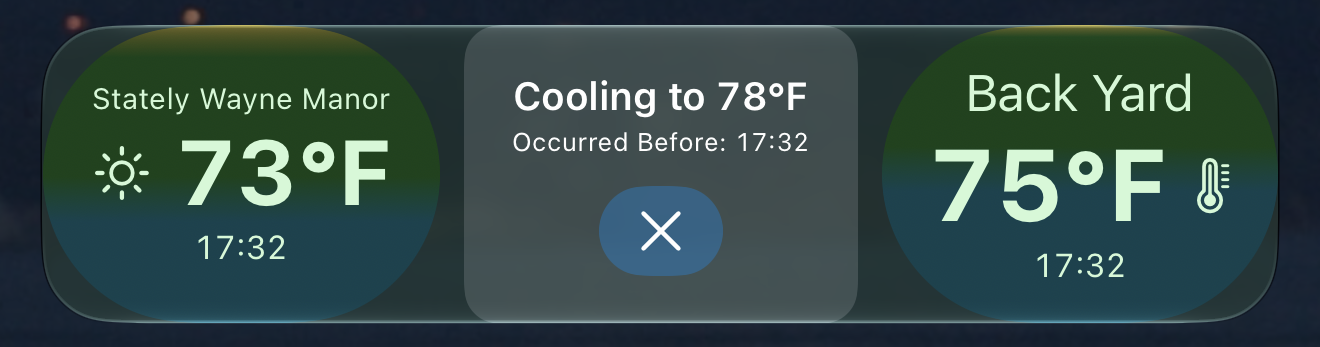
After a long hiatus I'm finally closing in on putting a new app up in the App Store. My new app Window Watcher is almost ready - and it provides a convenient way to merge Apple's WeatherKit forecasts with your own personal HomeKit sensors to tell when you should open or close your windows. Read more about it and join the TestFlight beta here.
Swatches is on the App Store!
I've been messing around with SwiftUI, which means iOS 13, which means supporting Dark Mode. And increasingly I was finding that I was worrying about testing against dark mode, and picking out color choices became increasingly annoying. Ultimately I stopped working on the Today Timer rewrite to instead make myself a simple little developer utility that showed all of the colors and could toggle Dark Mode inside the app. And from there the app got a little out of control 😀
I ended up deciding that I wanted to experiment with the crossplatform capabilities of SwiftUI, so I added watchOS, tvOS, and macOS (via Catalyst) support to the app, and a few more features as I dug into it. Also I wanted to learn how to use Fastlane for making the bajillion icons and screenshots you need for a modern iOS app. Final result was Swatches, which I open sourced for non-commercial use and also made available for free in the iOS App Store. (The other platforms will be available soonish, as I work through getting the metadata cleaned up for the additional platforms. You can read more about Swatches or grab it from the iOS app store:
Including All of the UIColors in SwiftUI.Color
I wrote a simple little extension to make all of the pre-defined colors in UIColor available in SwiftUI.Color. I wanted this mainly to get the new "adaptable colors" that support dark mode into SwiftUI. For example, with this extension you can write
Text("Hello").foregroundColor(.label) instead of Text("Hello").foregroundColor(Color(UIColor.label))
Here's the gist.
iOS 13, Unit Tests, and Mocking a SceneDelegate
I've been working through the exercises in the excellent iOS Unit Testing by Example book by Jon Reid, which I highly recommend. However, the book is in beta at the moment and there are some curveballs thrown by iOS 13 that aren't handled in the text yet. Specifically, when I hit the section about using a testing AppDelegate class I thought "This is very good. But what about the SceneDelegate?"
That kicked off quite the odyssey to be honest. If this is interesting to you I wrote up a Gist documenting what I found, and a partial solution to the issue.
WatchKit UI Colors
When I was developing the first version of the watch app for Today Timer I noticed something a bit odd. For a running or paused timer I was setting the background color of the table row for that timer. The docs say that that if you set the background color of a WKInterfaceGroup to nil the group uses the default background color of clear. Which I think is true, but the table sets the row background color to a what looks like a really dark gray. After some digging around I came up with a file named Guide_ButtonTable_Rows_Colors.psd that you can download from the Watch Human Interface Guidelines (look under Resources->Guides).
Turns out the WKInterfaceGroup provided for a table row is configured as a "platter" so it has this platter color, which is actually a pretty bright white at a very low alpha. (RGB 242, 244, 252 at 14% opacity.) Since I was overwriting the background color when I wanted to "clear" that change I needed to set back this custom color in order to make everything look right.
I've used a category on UIColor that provides the colors used in iOS7 style UI for a while, here's the original repository and here's my fork which makes the code compile with -Wno-semicolon-before-method-body and adds the default tint color. So I wanted something similar, but I didn't think the WatchKit colors belongs in iOS7Colors. I just pushed a UIColor Swift extension to GitHub. Although it's written in Swift you can drop it in an Objective-C project and use it. There's a sample app in the repository that shows the colors and how to use it.
If you're coding WatchKit hopefully you'll find this useful!
